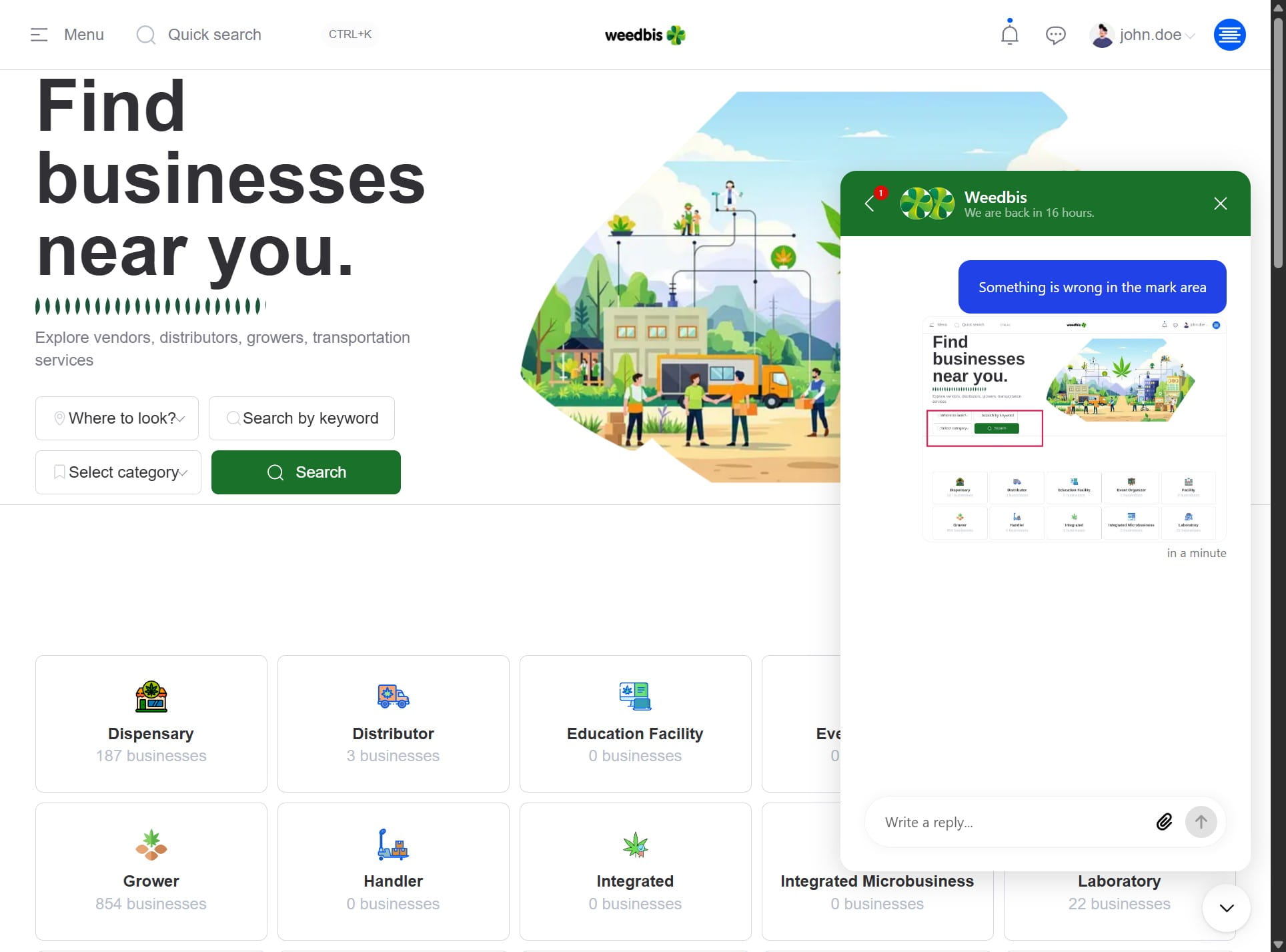
Step by step
1. Navigate to the chatbot located in the bottom-right corner
2. Click this icon

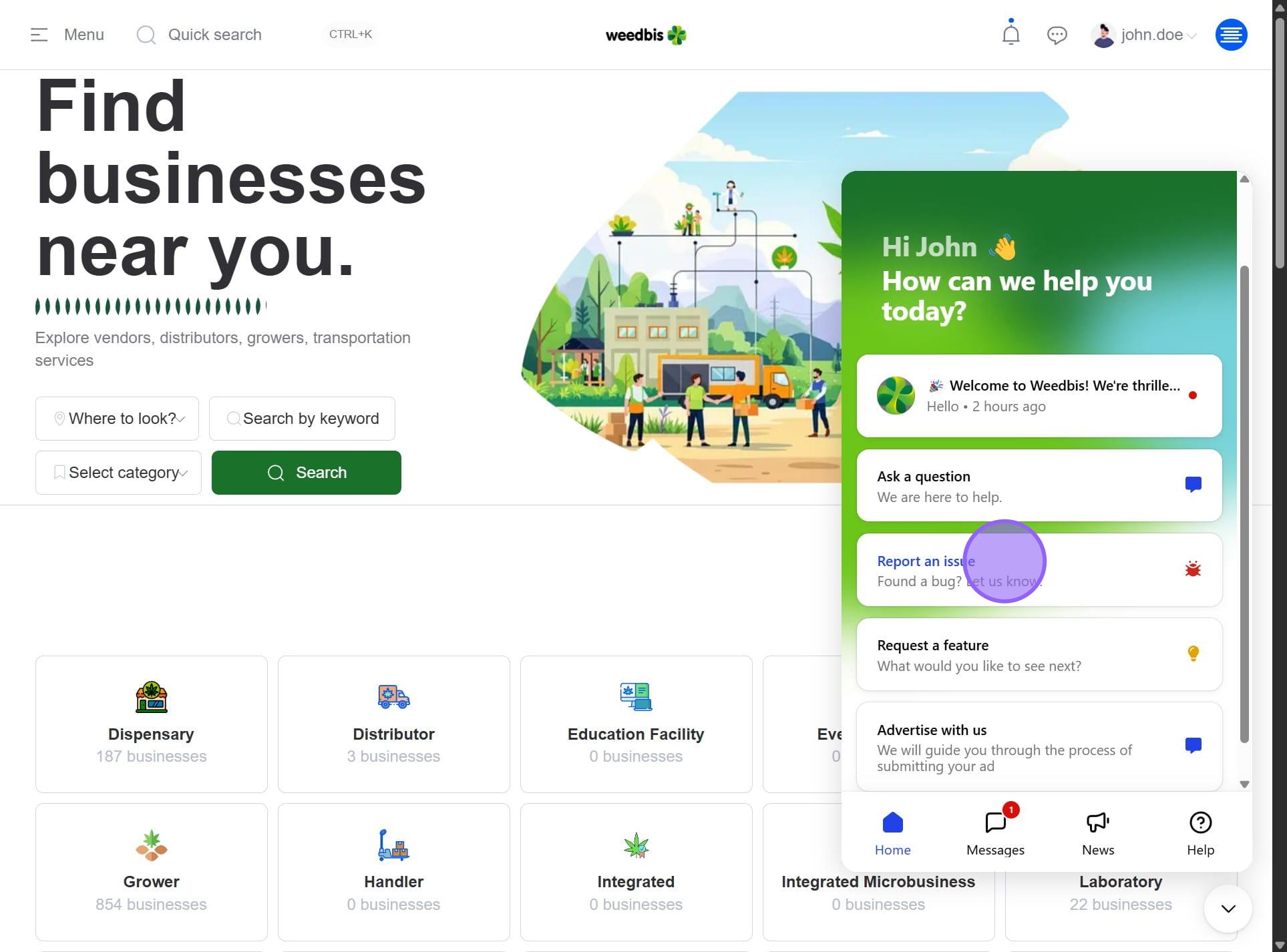
3. Click on "Found a bug? Let us know."
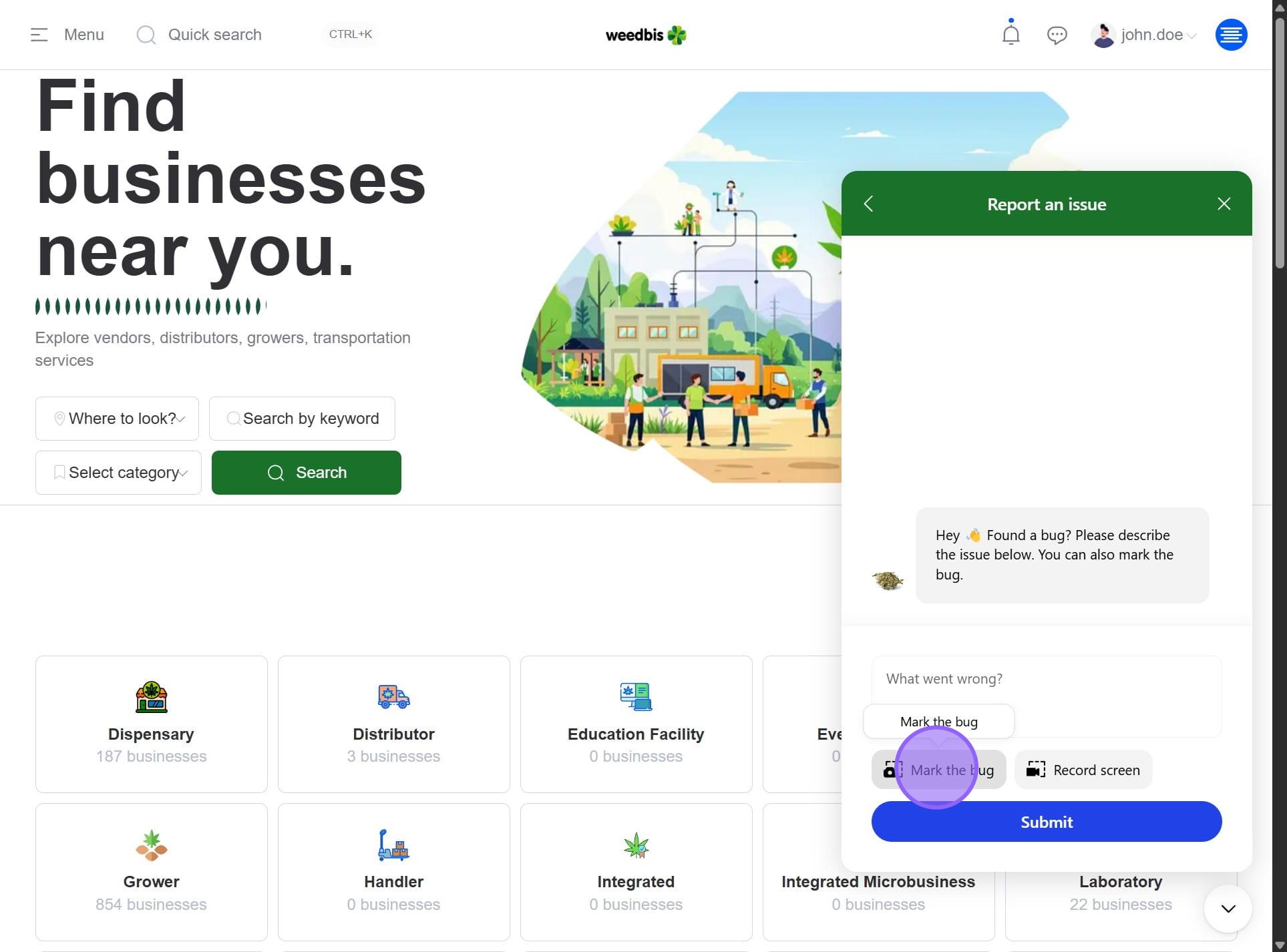
4. Select the Mark a bug button
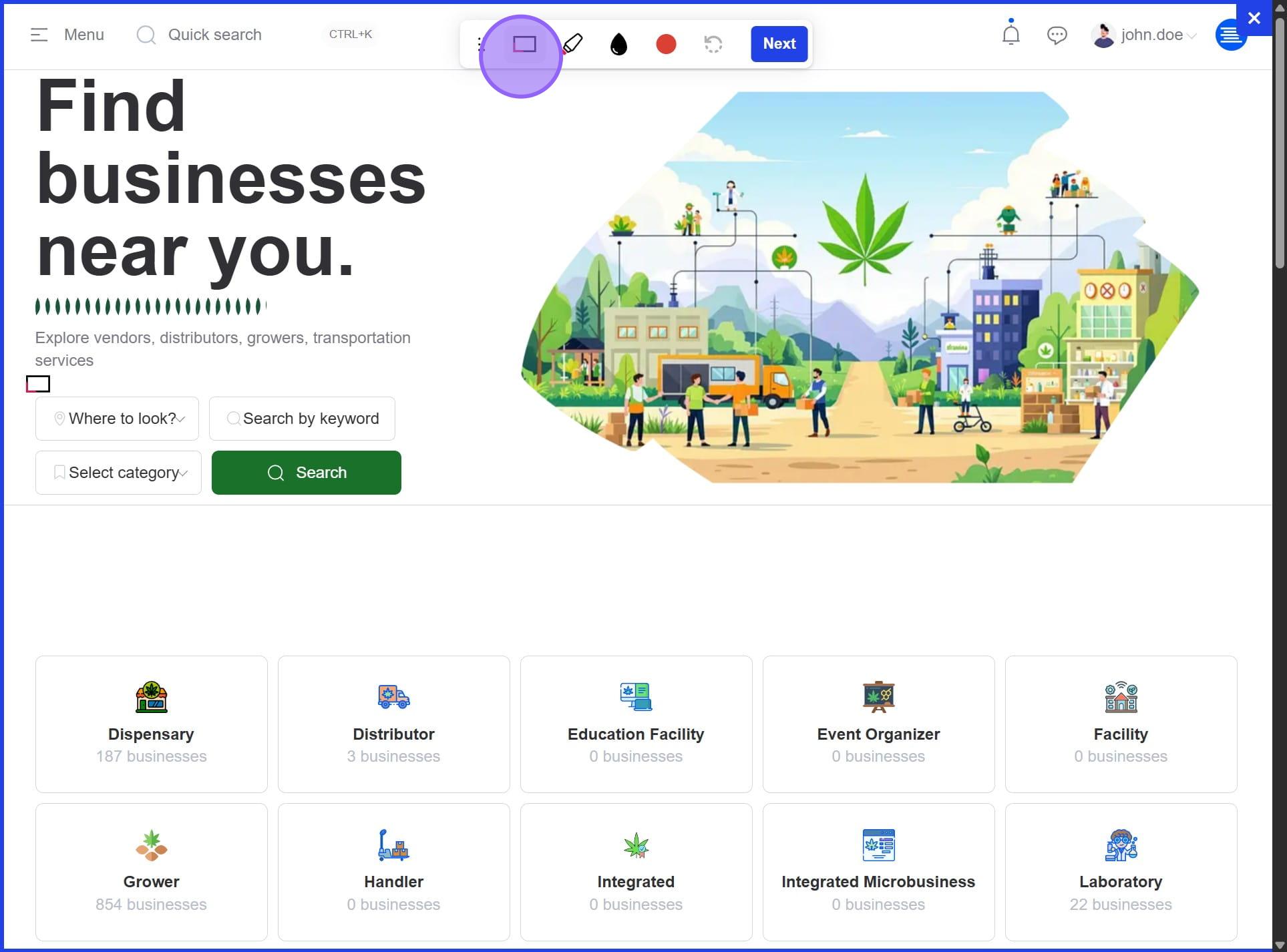
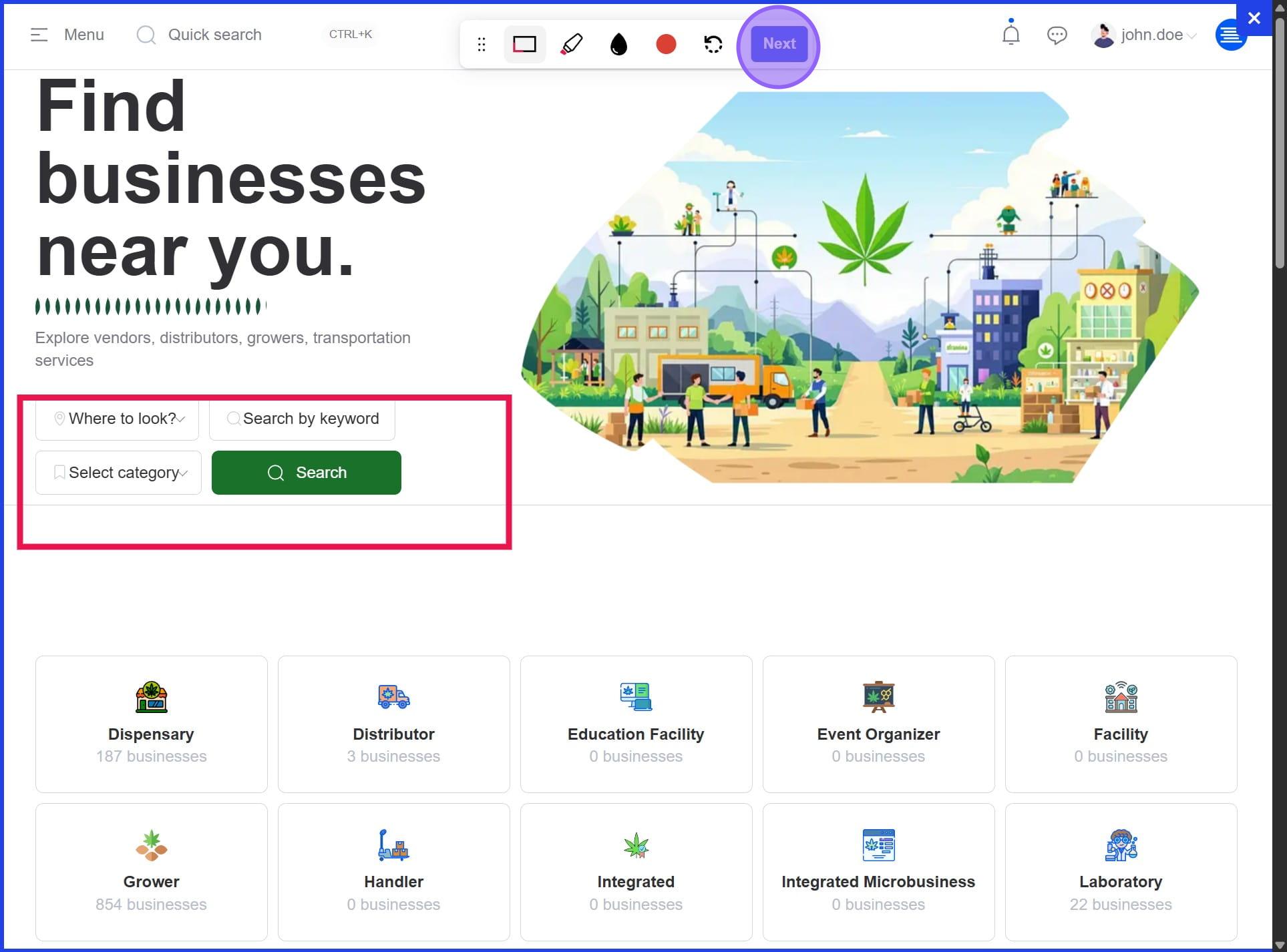
5. Use the Pop-up tool to select and highlight the area where the issue is occurring
6. Once you've marked the area exhibiting the issue, click Next to continue
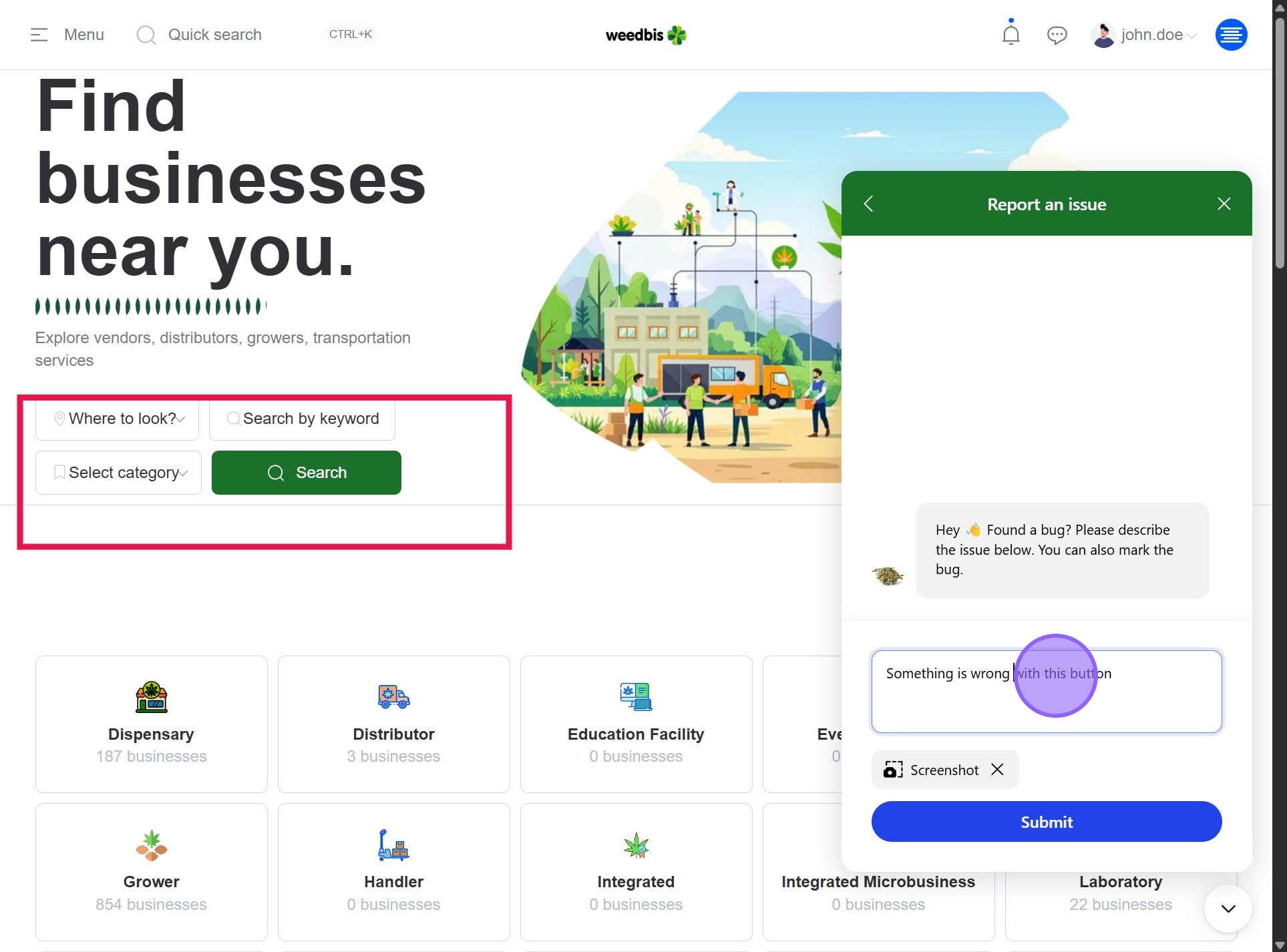
7. In the chatbox, describe the issue
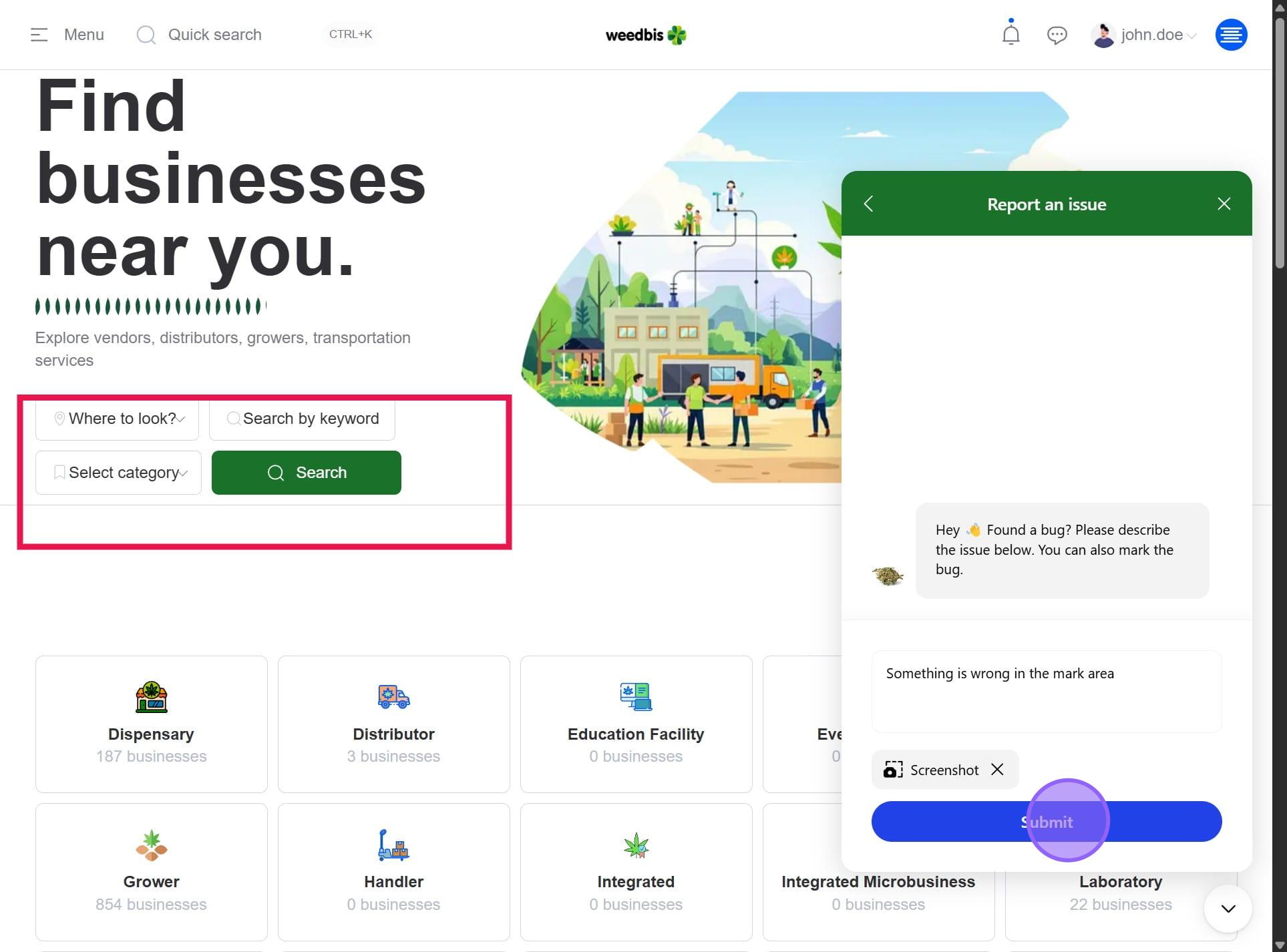
8. Press Submit to send the issue.
9. Done